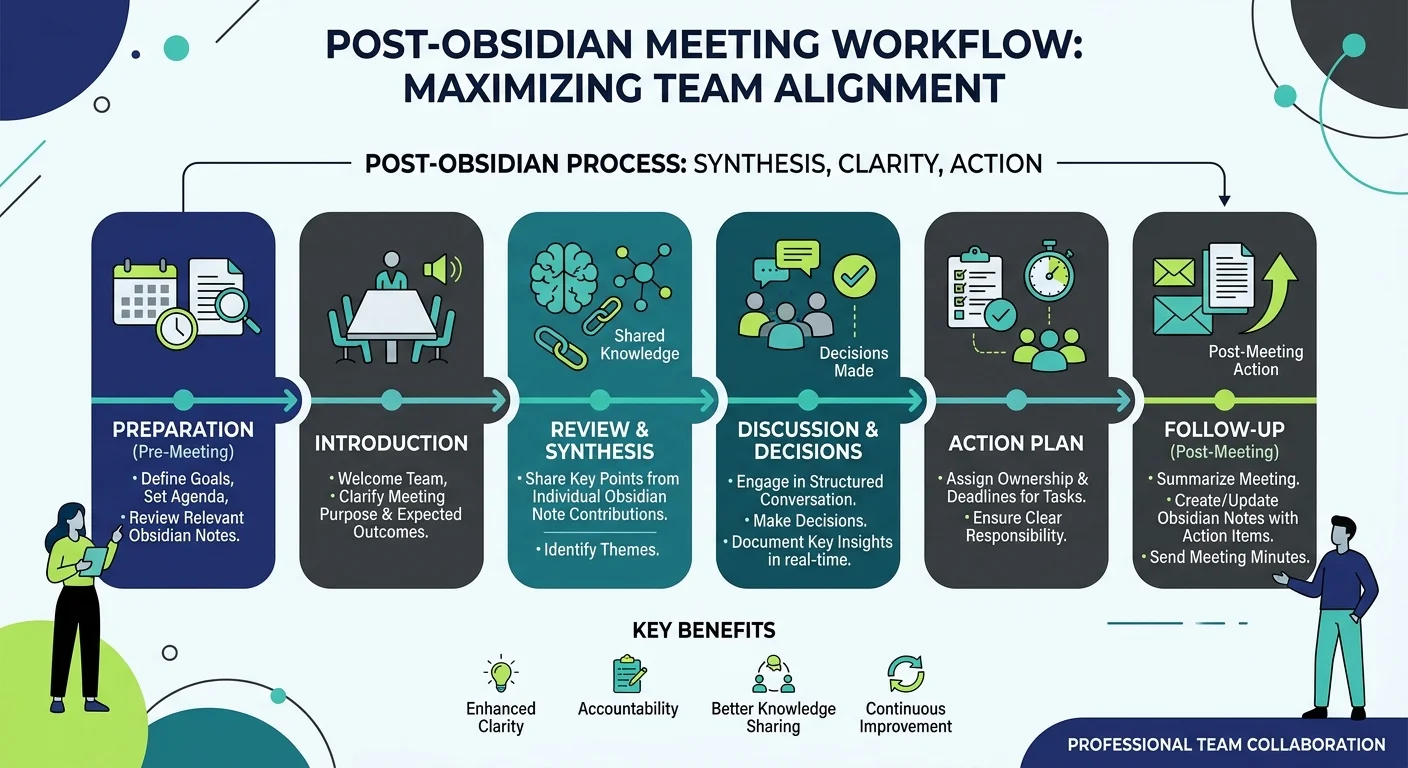
Meeting Notes Excellence: My High-Performance Obsidian Template
Hello fellow knowledge workers! 📝 We spend a significant portion of our work lives in meetings. Yet, how often do we leave a call only to forget the key decisions or who was responsible for what? Today, I’m sharing my Meeting Notes Template for Obsidian—a system designed to turn conversations into actionable results.
Why a Dedicated Meeting Template?
A good meeting note isn't just a transcript; it's a tool for accountability. This template ensures that every meeting you attend has a clear purpose, documented participants, and, most importantly, tracked follow-ups.
The Meeting Template
# 🤝 Meeting: {{title}}
**Date:** {{date:YYYY-MM-DD}}
**Time:** {{time:HH:mm}}
**Participants:** [[ ]]

---

## 🎯 Purpose & Agenda
-

---

## 📝 Minutes of Meeting (MoM)
-

---

## ✅ Action Items
- [ ]

---

## 📌 Key Decisions
1.

---

### 🔗 Related Notes
- [[Daily Note - {{date:YYYY-MM-DD}}]]
- [[Project - ]]
🚀 Taking it to the Next Level: The "Smart" Workflow
The template above is great for capturing data, but to truly never forget a thing, I've automated the context. Here is how I manage "Important Meetings" with near-zero effort:
1. The Contextual Task Query
I save all my recurring important meeting notes in a specific folder: reunion importante.
Inside my template, I have an embedded query that looks into that folder and pulls every pending task from previous notes. This means that every time I open a new meeting note, the "Pending items from last time" are already staring at me. No more manual searching or "What did we say last week?" moments.
2. The Automated Minutes of Meeting (MoM)
Sending the MoM after a call used to be a chore. Now, it's a "Copy & Paste" job. I use a dedicated MoM Note (which I explain in detail in my [MoM Mastery Post]({{< ref "PT-obsidian-mom.md" >}})) that contains two Dataview tables.
Here is what the magic code under the hood actually does:
Decoding the Dataview Logic:
regexreplace(Tasks.text, "\[.*$", ""): This is my favorite trick. It strips out all the metadata (like priority and due dates) from the task text, leaving only the clean description for the table."✅" AS Status: A simple way to add visual clarity to your reports.Tasks.completion >= date(today) - dur(7 days): This ensures we only see the "Fresh" accomplishments from the last week.regexreplace(Tasks.text, ".*?(⏫|🔼|🔽).*", "$1"): This surgical regex pulls only the priority emoji from your tasks, so you can sort and visualize urgency instantly.
Every task I create during the meeting follows a strict metadata pattern: - [ ] Task Description [priority:: high] [due:: 2026-05-15] [assigned:: @JohnDoe] @{date}
3. The "Copy to HTML" Magic
Because these Dataview tables update themselves automatically based on the tasks I just created or finished during the call:
- I finish the meeting and close any completed tasks.
- I open my MoM Note (which is already populated with the fresh data).
- I use the "Copy to HTML" command in Obsidian.
- I paste it into Outlook/Gmail.
Result: A professional, data-driven update sent in seconds. Nothing is forgotten, and stakeholders see a clear history of accountability. Low effort, high impact.
Template Sections Explained
🤝 Header & Metadata
This section captures the "Who, When, and Where." By using double brackets [[ ]] for participants, you can quickly link to your People Notes, building a history of your interactions with colleagues over time.
🎯 Purpose & Agenda
Never start a meeting without knowing why you're there. Filling this out before the meeting starts helps you stay focused and ensures the time is used effectively.
📝 Minutes of Meeting (MoM)
The core of your notes. I use simple bullet points here to capture the flow of conversation. Don't try to write everything—focus on the "why" and the "what."
✅ Action Items
This is the most critical section. Using Obsidian's task syntax - [ ], you can capture tasks as they happen.
Pro Tip: If you use the Tasks plugin, these will automatically show up in your Daily Note or Project Dashboards, ensuring they never fall through the cracks.
📌 Key Decisions
Sometimes the conversation is long, but the result is a single "Yes" or "No." Summarizing decisions here makes it easy to review what was actually agreed upon months later.
🔗 Related Notes
Consistency is key. I always link back to my Daily Note and the specific Project note. This creates a "web" of knowledge that makes retrieving information effortless.
How to Implement This Template
- Save the Template: Create a new file in your
Templatesfolder namedMeeting Template. - Use Templater: Whenever you start a meeting, use the Templater hotkey (Alt+E by default) to insert this structure into a new note.
- Automate with QuickAdd: For an even faster workflow, use the QuickAdd plugin to create a "Meeting Note" command that asks for the title and automatically applies this template.
In Conclusion
A meeting without notes is just a conversation; a meeting with poor notes is a wasted opportunity. By using a structured template in Obsidian, you ensure that every meeting adds value to your personal knowledge base and your professional growth. 🚀📈 #ObsidianTips #ProductivitySystems
Do you have a different way of tracking meetings? Let me know in the comments! 🤝✨