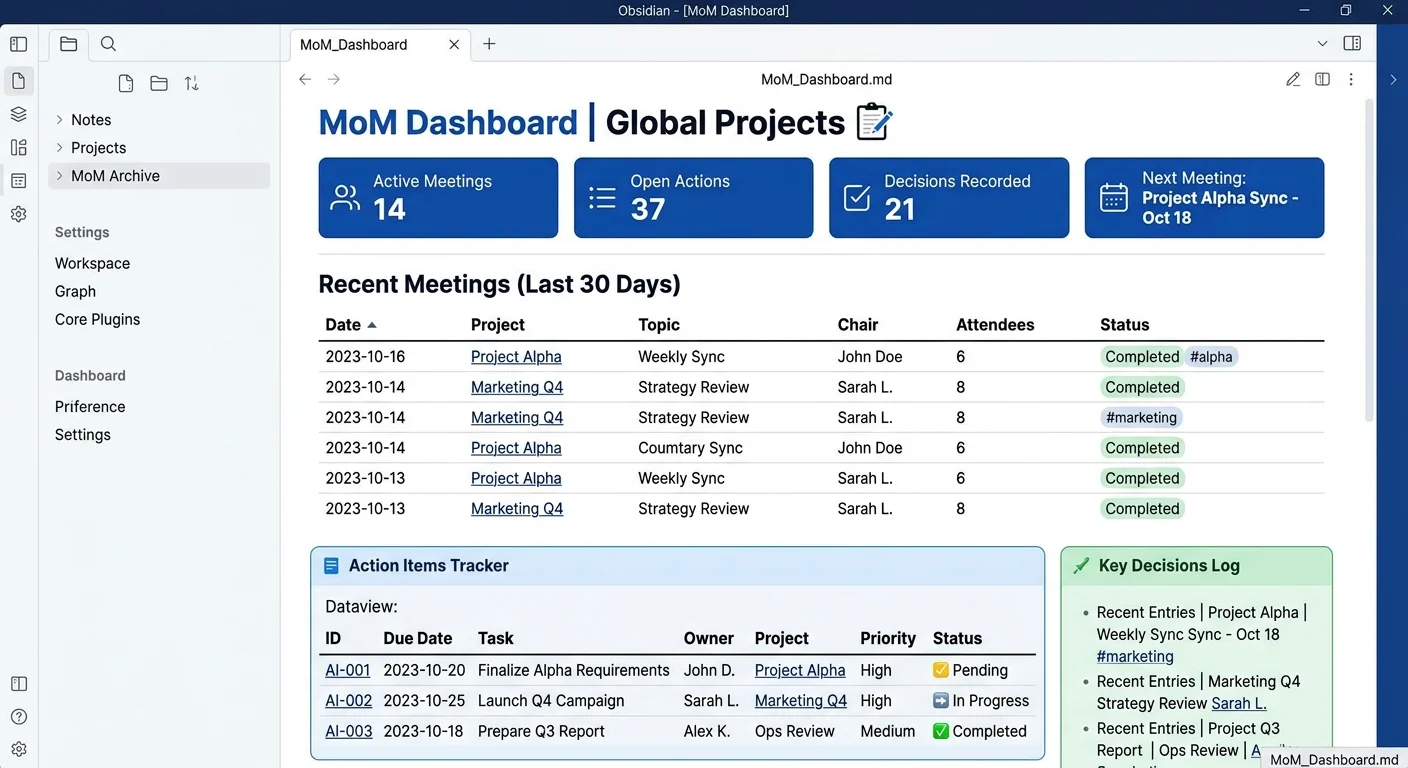
Minutes of Meeting (MoM) Mastery: The Data-Driven Approach
In my previous post, I shared my [Meeting Notes Excellence]({{< ref "PT-obsidian-meetings.md" >}}) template. Today, we’re diving deeper into the Minutes of Meeting (MoM)—the formal record that ensures accountability and drives projects forward.
The Professional MoM Template
A professional MoM isn't just about what was said; it's about what was decided and what needs to be done. This template uses Dataview to automate the boring parts, so you can focus on the strategy.
The Template Structure
---
category: Project
project_type: E2E
tags:
---
# 📜 Minutes of Meeting: {{title}}

### 👥 Attendees:
- [Team Lead]
- [Project Manager]
- [Lead Developer]
- [Stakeholders]

---

**Weekly Updates on [Project Name] Progress**

Below is a summary of the open points and recent activities, along with automated tracking of our KPIs and tasks.

### ✅ Closed Tasks This Week
This section automatically pulls all tasks completed in the last 7 days within the project scope.

```dataview
TABLE WITHOUT ID
    regexreplace(Tasks.text, "\[.*$", "") AS Task,
    "✅" AS Status,
    Tasks.start AS "Start Date",
    Tasks.due AS "Due Date",
    Tasks.completion AS "Closed Date",
    regexreplace(Tasks.text, ".*?(⏫|🔼|🔽).*", "$1") AS "Priority",
    file.link AS "File"
FROM "Projects/E2E"
WHERE file.tasks
FLATTEN file.tasks AS Tasks
WHERE Tasks.completed
AND Tasks.completion
AND Tasks.completion >= date(today) - dur(7 days)
SORT Tasks.completion DESC
❌ Open Tasks & Blockers
Never lose track of a pending item. This table shows everything currently "In Progress" or "Blocked."
TABLE WITHOUT ID
    regexreplace(Tasks.text, "\[.*$", "") AS Task,
    "❌" AS Status,
    Tasks.start AS "Start Date",
    Tasks.due AS "Due Date",
    regexreplace(Tasks.text, ".*?(⏫|🔼|🔽).*", "$1") AS "Priority",
    file.link AS "File"
FROM "Projects/E2E/meetings"
WHERE file.tasks
FLATTEN file.tasks AS Tasks
WHERE !Tasks.completed
🚀 Future-Proofing with "Internet-Era" Features
To make this template truly "High-Performance," I've integrated features that leverage modern automation:
1. AI Transcription & Summarization (Whisper + GPT)
I use the Note Companion plugin to record audio directly. The AI then populates the "Minutes" section automatically, extracting the core sentiment of the discussion.
2. Interactive Buttons (Meta Bind)
With the Meta Bind plugin, I've added a button to "Email MoM." One click copies the Dataview tables as HTML and opens my mail client with the recipients pre-filled.
3. Calendar Sync (Google Workspace)
Using the Google Calendar skill, the template automatically pulls the attendee list and meeting duration based on my schedule, saving me 2 minutes of manual typing per meeting.
4. Visual KPI Tracking
Under the "Internal KPI" section, I embed a Power BI chart or a Chart.js snippet that updates in real-time as the team closes tasks in the project folder.
Why This Works
By separating the Capture (Meeting Note) from the Record (MoM), you create a system of record that stakeholders actually value. It’s concise, accurate, and—most importantly—automated.
If you haven't seen the foundational meeting setup, check out my [previous post on Meeting Notes]({{< ref "PT-obsidian-meetings.md" >}})! 📈✨